
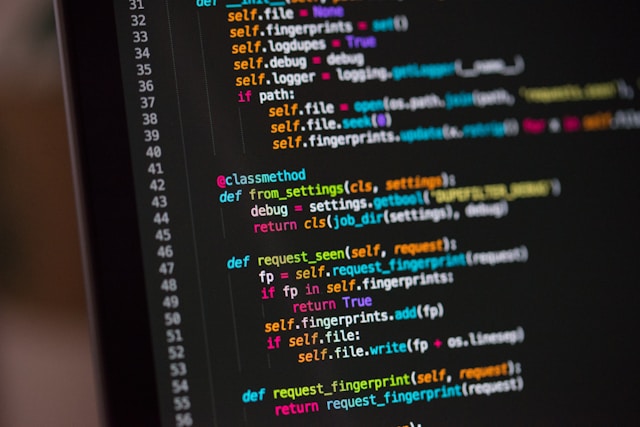

Introduction to Coding
Coding, also known as programming, is the process of creating instructions that a computer can follow to perform specific tasks. From building websites and mobile apps to automating repetitive tasks and analyzing data, coding plays a crucial role in modern technology. For beginners, the idea of learning to code may seem overwhelming, but with a structured approach and consistent practice, anyone can develop programming skills.
This guide provides a step-by-step approach to help beginners understand the fundamentals of coding and start their journey with confidence.
Why Learn Coding?
Before diving into the technical aspects, it is important to understand the value of learning to code. Coding is not just for software developers; it is a valuable skill across many industries.
Key Benefits of Coding
- Career Opportunities: High demand for developers and technical professionals.
- Problem-Solving Skills: Enhances logical thinking and analytical abilities.
- Creativity: Enables you to build applications, websites, and tools.
- Automation: Helps save time by automating repetitive tasks.
- Flexibility: Offers opportunities for freelance work and remote jobs.
Step 1: Understand the Basics of Programming
Before writing code, you need to understand how programming works at a fundamental level.
Core Concepts
- Variables: Containers for storing data.
- Data Types: Types of data such as numbers, text, and boolean values.
- Control Structures: Includes loops and conditional statements.
- Functions: Reusable blocks of code that perform specific tasks.
- Syntax: The rules that define how code must be written.
Familiarizing yourself with these concepts will make learning any programming language easier.
Step 2: Choose Your First Programming Language
Selecting the right programming language is a crucial step for beginners. Some languages are easier to learn and more beginner-friendly than others.
Recommended Languages for Beginners
- Python
- Easy to read and understand
- Widely used in data science, automation, and web development
- JavaScript
- Essential for web development
- Runs directly in web browsers
- HTML & CSS
- Not programming languages, but essential for building websites
- Java
- Popular for enterprise applications and Android development
For most beginners, Python is often recommended due to its simple syntax and versatility.
Step 3: Set Up Your Coding Environment
To start coding, you need a proper development environment.
Essential Tools
- Code Editor: Software used to write code (e.g., VS Code, Sublime Text)
- Browser: Useful for testing web-based projects
- Compiler/Interpreter: Executes your code
Basic Setup Steps
- Install a code editor.
- Install the programming language you chose.
- Run a simple program to confirm everything works.
Setting up your environment correctly ensures a smooth learning experience.
Step 4: Learn Through Practice
Coding is a skill best learned by doing rather than just reading.
Effective Practice Methods
- Write small programs daily
- Solve beginner-level coding challenges
- Experiment with code examples
- Break larger problems into smaller tasks
Example Beginner Exercises
- Create a calculator program
- Build a simple to-do list
- Write a program that prints patterns
- Develop a number guessing game
Consistent practice helps reinforce concepts and builds confidence.
Step 5: Understand Problem-Solving Techniques
Coding is fundamentally about solving problems. Developing a structured approach will improve your efficiency.
Problem-Solving Steps
- Understand the Problem: Clearly define what needs to be solved.
- Plan a Solution: Break the problem into smaller steps.
- Write the Code: Implement your solution step by step.
- Test and Debug: Identify and fix errors.
- Optimize: Improve performance and readability.
Learning how to think logically is just as important as learning syntax.
Step 6: Work on Real Projects
Building real-world projects is essential for applying what you have learned.
Beginner Project Ideas
- Personal portfolio website
- Simple blog platform
- Basic calculator application
- Weather application (using mock data)
- Quiz or trivia game
Projects help you understand how different concepts work together and give you something to showcase.
Step 7: Learn Version Control
Version control is an important skill for managing code and collaborating with others.
What is Version Control?
Version control systems track changes in your code and allow you to revert to previous versions if needed.
Popular Tool
- Git
Key Concepts
- Repositories
- Commits
- Branches
- Merging
Learning version control early helps you maintain organized and professional code.
Step 8: Read and Understand Other People’s Code
Reading existing code is a valuable learning method.
Benefits
- Learn new techniques and best practices
- Understand different coding styles
- Improve problem-solving skills
Start with simple projects and gradually explore more complex ones.
Step 9: Join Coding Communities
Learning to code does not have to be a solitary journey. Engaging with others can accelerate your progress.
Ways to Engage
- Participate in online forums
- Join coding groups or communities
- Attend virtual or local meetups
- Collaborate on projects
Being part of a community provides support, motivation, and learning opportunities.
Step 10: Stay Consistent and Keep Learning
Consistency is key when learning coding. Even small daily efforts can lead to significant progress over time.
Tips for Consistency
- Set realistic goals
- Practice regularly
- Track your progress
- Celebrate small achievements
Continuous Learning
Technology evolves rapidly, so staying updated is essential. Explore new languages, frameworks, and tools as you grow.
Common Mistakes Beginners Should Avoid
Understanding common pitfalls can save time and frustration.
Mistakes to Watch Out For
- Trying to learn multiple languages at once
- Skipping fundamentals
- Not practicing enough
- Giving up too quickly
- Ignoring error messages
Learning from mistakes is part of the process, so remain patient and persistent.
Building a Strong Foundation
A strong foundation is critical for long-term success in coding.
Focus Areas
- Clean and readable code
- Understanding algorithms
- Learning data structures
- Practicing debugging skills
Mastering the basics will make advanced topics easier to grasp.
Career Paths in Coding
Once you gain confidence, you can explore different career paths.
Popular Roles
- Web Developer
- Mobile App Developer
- Data Analyst
- Software Engineer
- Game Developer
Each path requires different skills, so choose one that aligns with your interests.
Final Thoughts
Starting your coding journey may feel challenging at first, but with the right approach and mindset, it becomes manageable and rewarding. By following a structured plan, practicing regularly, and building real projects, you can develop strong coding skills and open doors to numerous opportunities.
The key is to stay consistent, remain curious, and never stop learning.